
DOCSWORKSPACE ADMINISTRATION
Get started with the EYZFlow welcome tour
Updated 31 October 2026
When you sign up without a team, EYZFlow shows a short welcome tour before asking you to create your team. The tour introduces EYZFlow, VOD, Sign and IO, depending on which version of the EYZFlow website you came from.
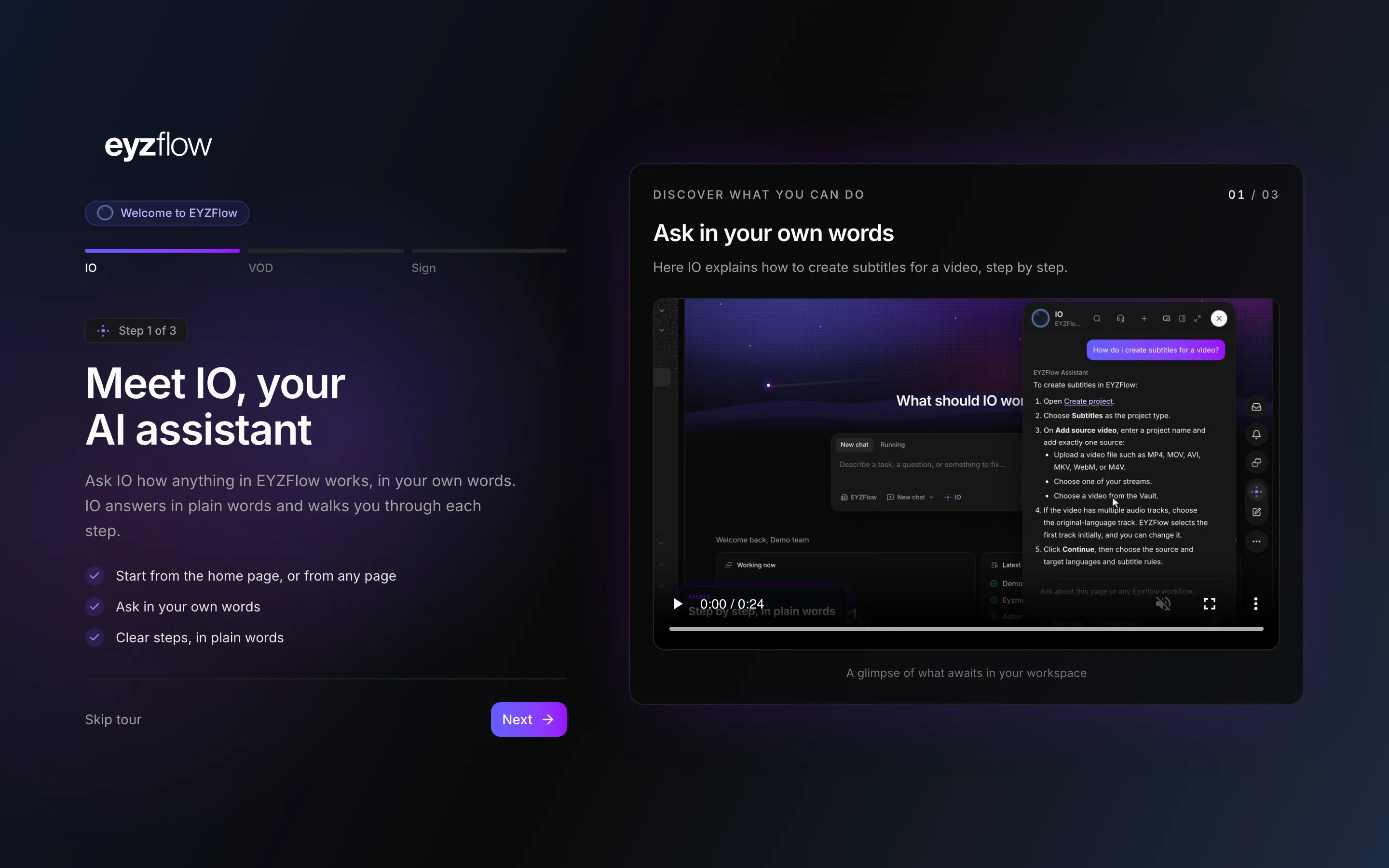
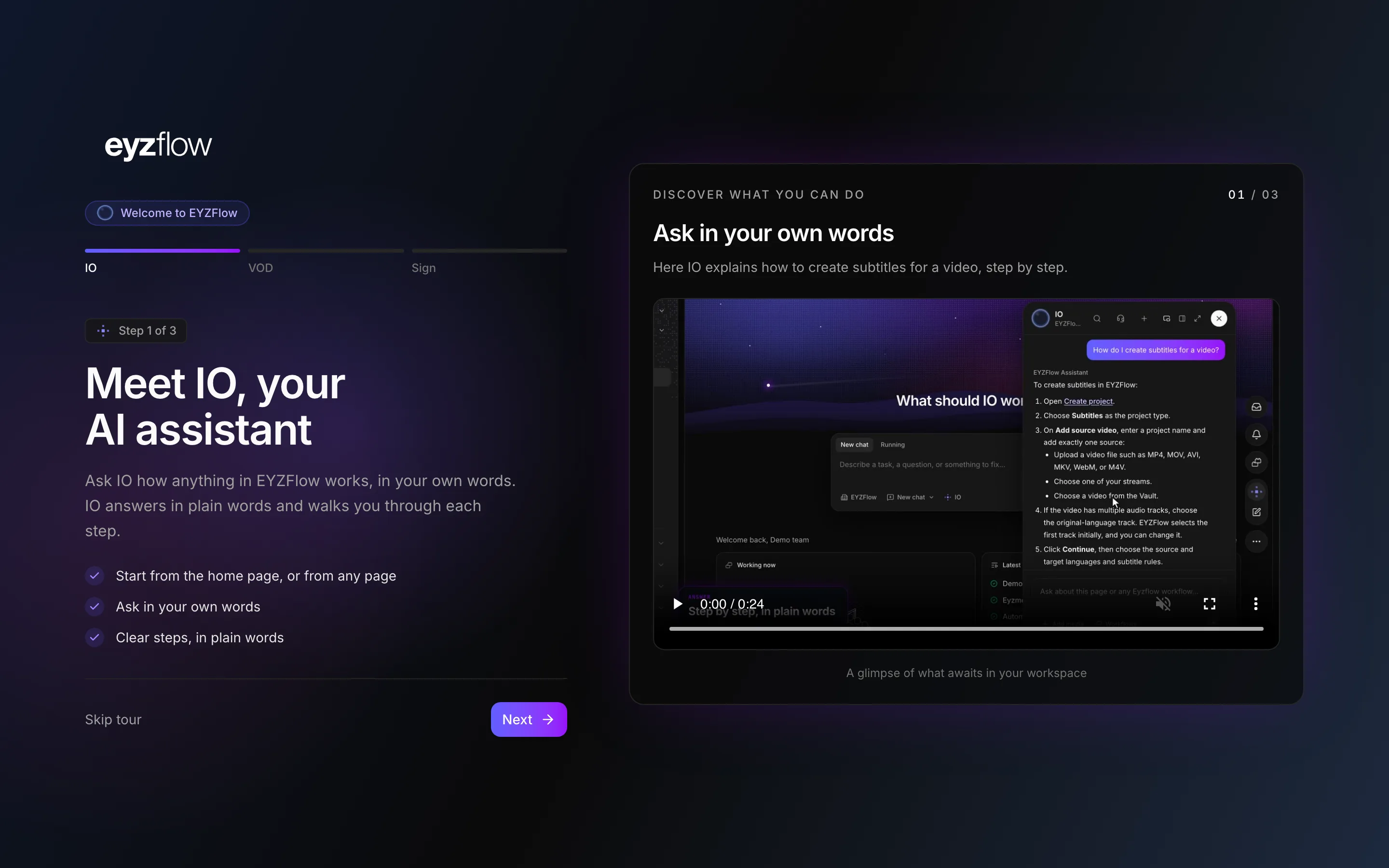
Take the tour
- Select Next to continue or Back to return to the previous step.
- Select a step in the bar at the top to jump directly to it. You can also move between steps with the arrow keys.
- Select Skip tour to leave the tour before the final step.
- On the final step, select Go to dashboard. During account setup, select Create team instead. Skip tour also takes you to the team form during setup.
The films play muted and loop. If reduced motion or lighter graphics is enabled, a film waits for you to select play.
You can watch the tour again from the welcome tour page, including without signing in. If you were invited to a team, signing up takes you to that invitation instead of the tour.
Create your team
- Under Create your team, enter your workspace name in Team name.
- Select Create team. EYZFlow opens your new workspace's home page.
If you arrived from the VOD or Sign calculator, select Review your saved calculator estimate at the top to open your estimate while creating the team.
Which tour and language you see
The tour reflects the EYZFlow website you came from:
- The VOD website shows Welcome to EYZFlow VOD.
- The Sign website shows Welcome to EYZFlow Sign.
- Other entry points show Welcome to EYZFlow.
EYZFlow remembers the website you came from for 7 days, so you can still receive the relevant tour if you sign up later. The tour is available in English, German or French, based first on the language selected in EYZFlow and otherwise on your browser language.
What the tours cover
General tour
- IO: Ask the AI assistant how EYZFlow works from the home page or any page. IO answers in plain language and guides you through each step.
- VOD: Upload one master file, encode versions for viewers, play video in up to 4K and view how streams are watched.
- Sign: Create subtitles, captions, clearer dialogue and audio description, then review each line alongside the picture, timing and scene.
VOD tour
- Upload: Upload a file, add a link or choose a file already stored in EYZFlow. EYZFlow encodes the versions your viewers need, up to 4K, and can protect them with DRM when requested.
- Player: Play a stream when encoding is complete, share it with a link, or create clips and frames in the editor.
- Catalogue: Add titles, synopses, artwork and offers, and organise series with seasons and episodes. You can draft a title with AI from your documents and then review the result.
- Storefronts: Publish your catalogue on your own storefronts. Feeds control which titles appear on each storefront; viewers can use help pages and support chat on your site.
- Analytics: Compare views, viewers, watch time and completion for each stream with the previous period.
- IO: Ask IO how EYZFlow works.
Sign tour
- Start: Upload a video, choose one of your streams or select a video from the Vault. Choose subtitles, a transcript, clearer dialogue or audio description, along with languages and subtitle rules. The required compute credits are shown before processing starts.
- Review: Play each cue over the picture, edit text and timing, and see when a line is too fast or breaks your rules. Export an SRT file when the review is complete.
- Languages: Translate subtitles into the languages you sell in and add closed captions with timed sound cues. Each language has its own track.
- Description: Generate an audio-description script from video analysis, fit lines into gaps in dialogue, edit lines and voice them before adding the result to your stream.
- IO: Ask IO how EYZFlow works.
Looking for a quick answer? Read the FAQ