DOCSWORKSPACE ADMINISTRATION
IO conversations and consent
Updated 31 October 2026
EYZMedia may keep IO conversations to fix bugs and improve EYZFlow only when both your organisation and you have agreed to the applicable wording. The full wording is shown when you decide.
This consent is separate from your EYZFlow chat history. Your chat history remains in your organisation's EYZFlow whether or not consent is given or withdrawn. You can see your own chats, while people with permission to administer workflows can see all chats in the organisation.
For organisation admins: decide for everyone
An admin with the Decide on Keeping IO Conversations permission can make the organisation-wide decision.
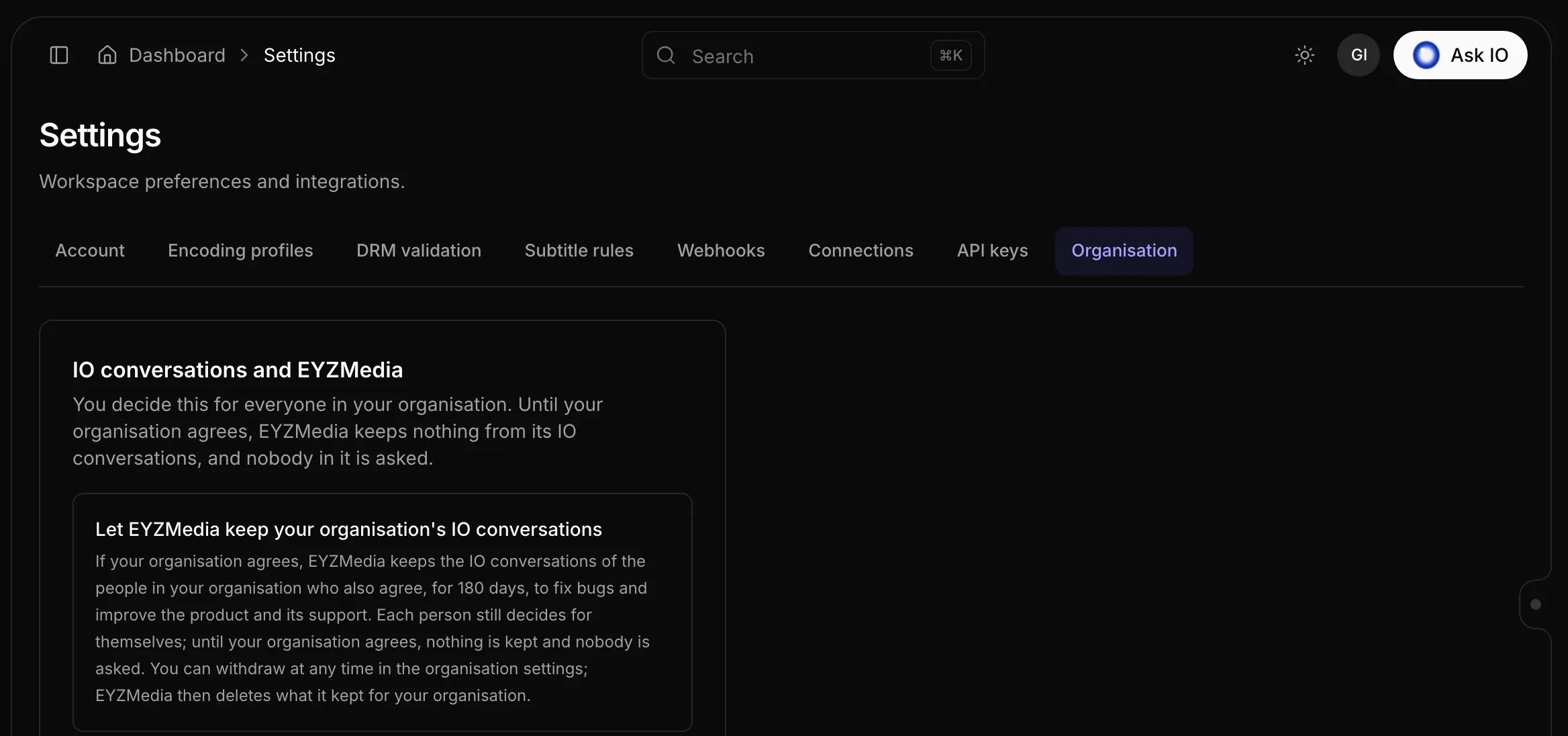
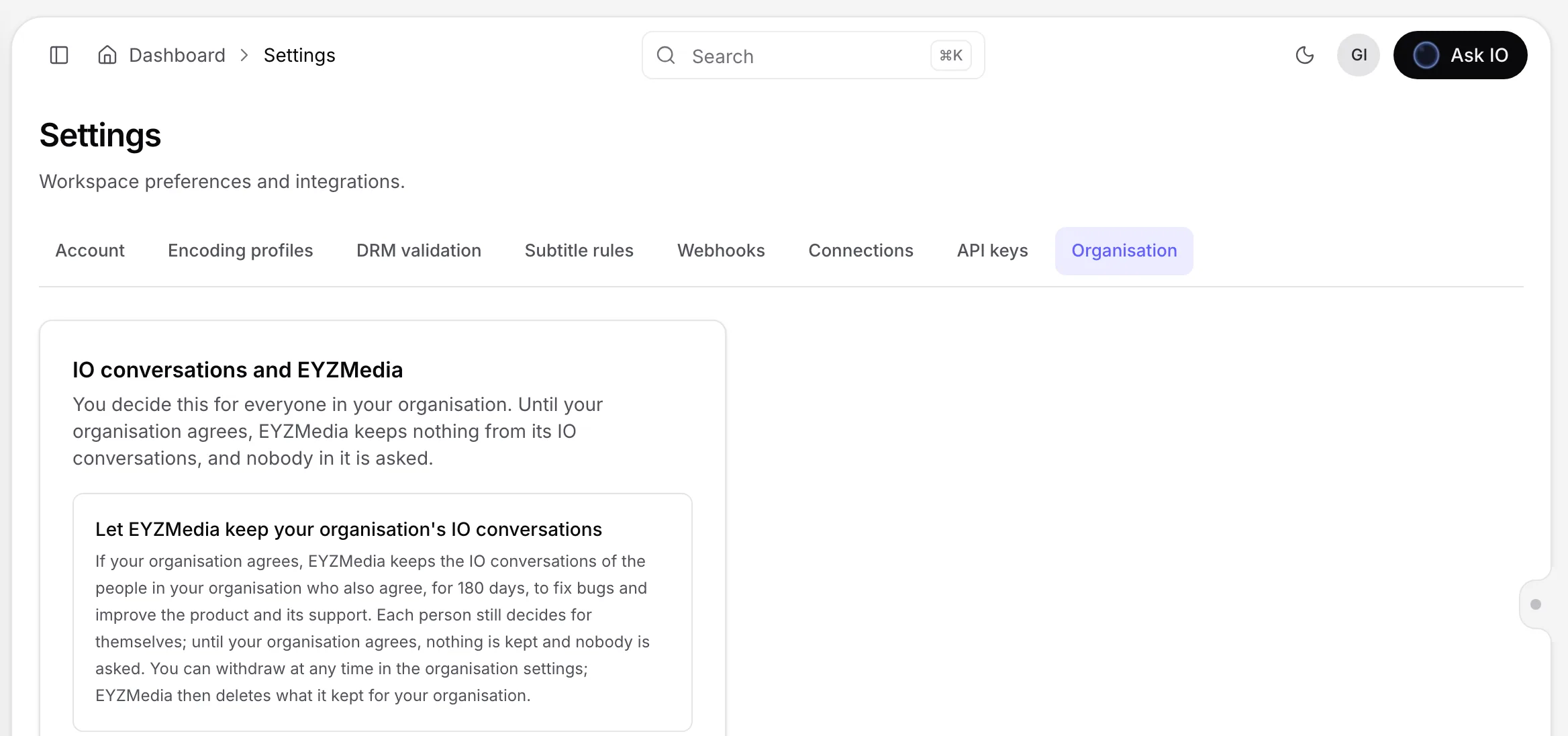
- Open Settings and the Organisation tab.
- Read the IO conversations and EYZMedia card and its wording.
- Select the agree or decline option.
The card shows who made the decision and when. Until the organisation agrees, EYZMedia does not keep IO conversations for bug fixing or improving EYZFlow, and people in the organisation are not asked for their own decision.
If the wording changes
The organisation must agree again when the wording changes. Until it does, EYZMedia keeps nothing more under the updated wording. People are asked for their own agreement only after the organisation has agreed to the current wording.
Withdraw organisation consent
- Open Settings and the Organisation tab.
- Select Withdraw consent.
- Confirm by selecting Withdraw, or select Keep consent to cancel.
After withdrawal, EYZMedia deletes what it kept from the organisation's IO conversations under that agreement. Your EYZFlow chat history remains. Requests sent with Talk to a person are separate support requests and are not deleted by withdrawing this consent.
If the organisation agrees again later, a person's previous yes applies again unless the wording changed in the meantime. Only conversations from after the new agreement are kept.
Decide for yourself
After your organisation agrees, IO asks each person once in a card above the chat message box. You can agree or decline without interrupting your use of IO.
- A decline is not asked again and remains in effect until you change it in Settings.
- If the wording changes after you agreed, EYZMedia keeps nothing more until you agree to the new wording, and IO asks you again.
- To change your answer, open Settings, select Account, and use the IO assistant card. Turn the option on to agree or off to withdraw.
Withdraw your own consent
In Settings > Account, turn off the option in the IO assistant card. EYZMedia then deletes what it kept from your IO conversations under your agreement, without waiting for the organisation. Your EYZFlow chat history remains. If you agree again later, only conversations from that point onward are kept.
You can withdraw at any time. If you cannot agree at the moment, the card explains whether the organisation has not agreed, has turned consent off, needs to agree to updated wording, or whether the options are currently switched off. In all cases, your EYZFlow chat history remains.
What does not require this consent
Talk to a person works without these organisation or personal agreements. When you request it, that one conversation is sent to EYZMedia support with your name, email address, and note. It becomes a separate support request, and withdrawing consent does not delete it. Only the person who started the chat can send it to support.
For more information about contacting support, see Talk to a person: get help from EYZMedia's support in IO.
Looking for a quick answer? Read the FAQ